Flutter 3.50: What's New, Key Features, Performance Improvements and Migration Guide
A practical developer guide to Flutter 3.50 and Dart 3.14, covering stable native interop, WebAssembly, Material and Cupertino migration, Impeller, AI tooling and platform updates.
Flutter 3.50: What's New, Key Features, Performance Improvements and Migration Guide
Flutter 3.50, released alongside Dart 3.14 on November 11, 2026, is a release worth examining beyond its headline feature list. It moves several important parts of the Flutter ecosystem forward: Dart can call supported native APIs more directly, Flutter Web gets meaningful WebAssembly and caching improvements, and the framework continues to separate design libraries from the core SDK.
For teams shipping production apps, the interesting question is not simply what is new? It is which changes should influence the way we build, test and maintain applications?
This guide takes a practical look at the release. We will cover the changes most likely to affect mobile and web teams, explain where they fit, include architecture diagrams and commands, and finish with a migration checklist. Where a performance number comes from a Flutter benchmark, it is identified as a benchmark rather than a promise about every application.

Release context: Flutter 3.50 was announced on November 11, 2026, together with Dart 3.14. This article is an independent technical explanation based on the official release announcement and Flutter documentation. Always check the linked documentation for the latest platform requirements before changing a production build.
Table of contents
- Flutter 3.50 at a glance
- 1. Stable native interoperability
- 2. WebAssembly and Flutter Web
- 3. Material and Cupertino become standalone packages
- 4. Impeller and rendering improvements
- 5. iOS and macOS updates
- 6. Android improvements
- 7. AI-assisted developer workflows
- 8. Genkit Dart and on-device AI
- 9. Framework improvements worth knowing
- 10. Migration checklist
- 11. Should your team upgrade?
- 12. What this release signals for Flutter
- Frequently asked questions
Flutter 3.50 at a glance
The release is broad, but a few areas deserve particular attention.
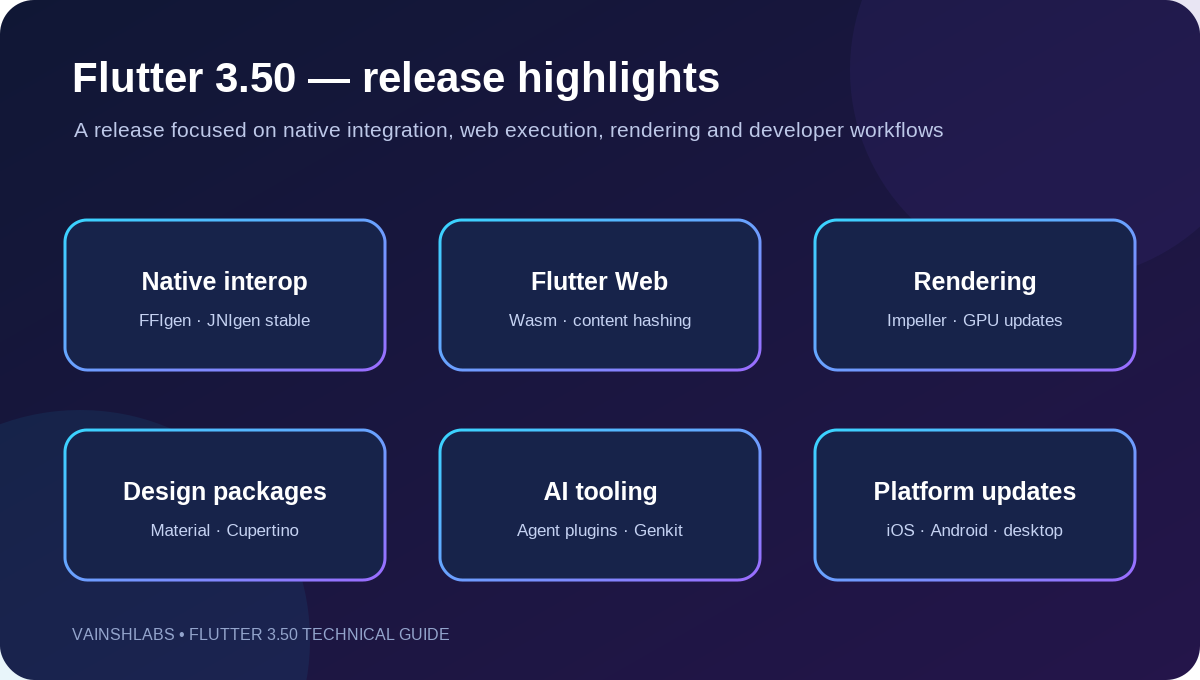
| Area | What's new | Why it matters |
|---|---|---|
| Native interoperability | FFIgen for Objective-C and JNIgen for Java/Kotlin are stable | More direct access to supported native APIs |
| Flutter Web | WebAssembly improvements, content-hashed assets and modern JS interop checks | Better browser execution options and cache management |
| Design libraries | SDK-coupled Material and Cupertino libraries are formally deprecated | Teams should plan the standalone package migration |
| Impeller | Expanded SDF rendering and GPU improvements | Better rendering paths for supported workloads |
| iOS | Lower touch latency and smoother physical-device debugging | More responsive interaction and developer workflow |
| Android | Stricter release-mode Intent validation and platform-view improvements | Safer engine configuration and improved native-view integration |
| Developer tooling | Official AI agent plugins, MCP configuration and package skills | More structured AI-assisted workflows |
| AI ecosystem | Genkit Dart 1.0 and MediaPipe Tasks for Flutter | More ways to build agentic and on-device AI features |
The sections below focus on what these changes mean in day-to-day engineering work.
1. Stable native interoperability
One of the most significant changes in Flutter 3.50 is that direct native interoperability reaches production readiness for key targets. FFIgen support for Objective-C and JNIgen support for Java and Kotlin join the established C interoperability support as stable. Pigeon's new native interop mode is available as a preview.
Why this matters
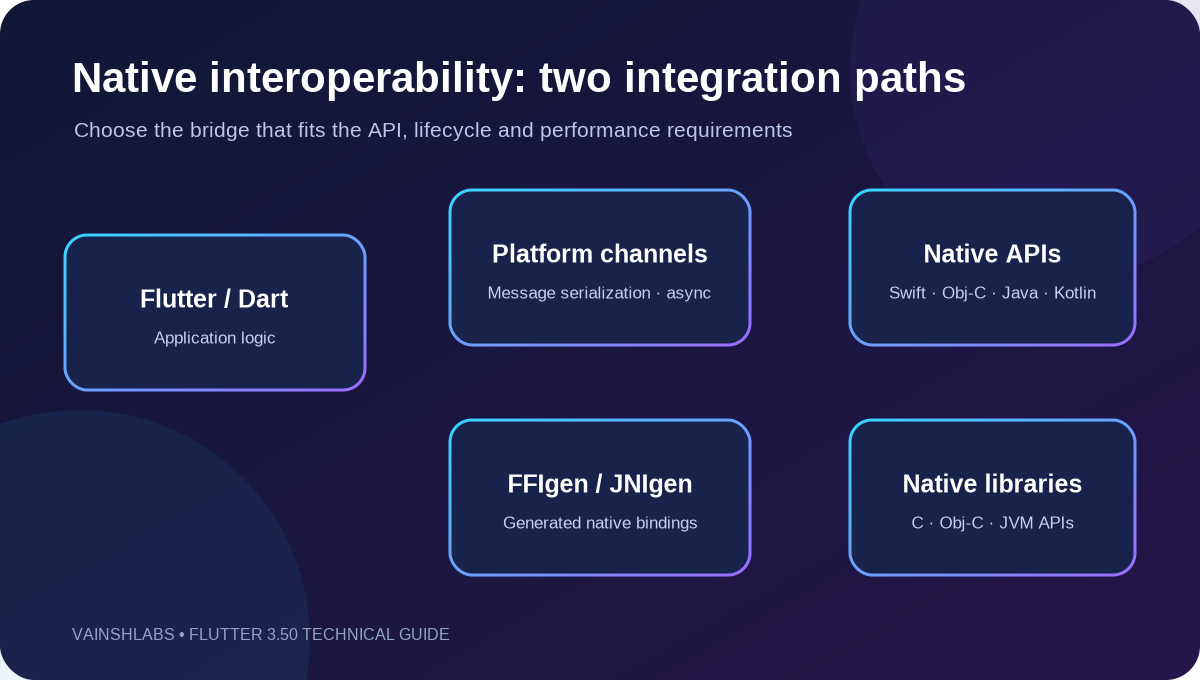
A common Flutter integration pattern is to use a platform channel. Dart sends a message, native code receives and processes it, and a result is sent back. Platform channels remain useful and supported, but they involve message passing and serialization.
Generated native bindings offer a different path. They allow Dart to call supported native APIs through generated bindings, including synchronous calls or calls from background isolates where supported.
FFIgen: C and Objective-C
FFIgen generates Dart bindings for native C APIs and now stable Objective-C APIs. This is useful when an app needs to integrate with supported Apple APIs or existing native libraries.
JNIgen: Java and Kotlin
JNIgen generates bindings for Java and Kotlin APIs on Android. This gives Dart code another way to work with Android system APIs and custom JVM libraries.
What about Pigeon?
Pigeon's native interoperability mode is a preview. It uses the generators underneath and aims to provide type-safe bindings while handling data conversion and native object lifetimes for supported platforms.
Which integration approach should you choose?
| Requirement | A sensible starting point |
|---|---|
| A small request-response bridge to native code | Platform channels |
| Direct calls into supported C or Objective-C APIs | FFIgen |
| Direct calls into supported Java or Kotlin APIs | JNIgen |
| A structured multi-platform plugin API | Evaluate Pigeon's preview mode |
Do not replace every existing platform channel just because a new option is available. Compare complexity, lifecycle requirements, threading constraints, maintainability and measured performance for the integration you are actually building.
Official reading: Native interoperability documentation.
2. WebAssembly and Flutter Web
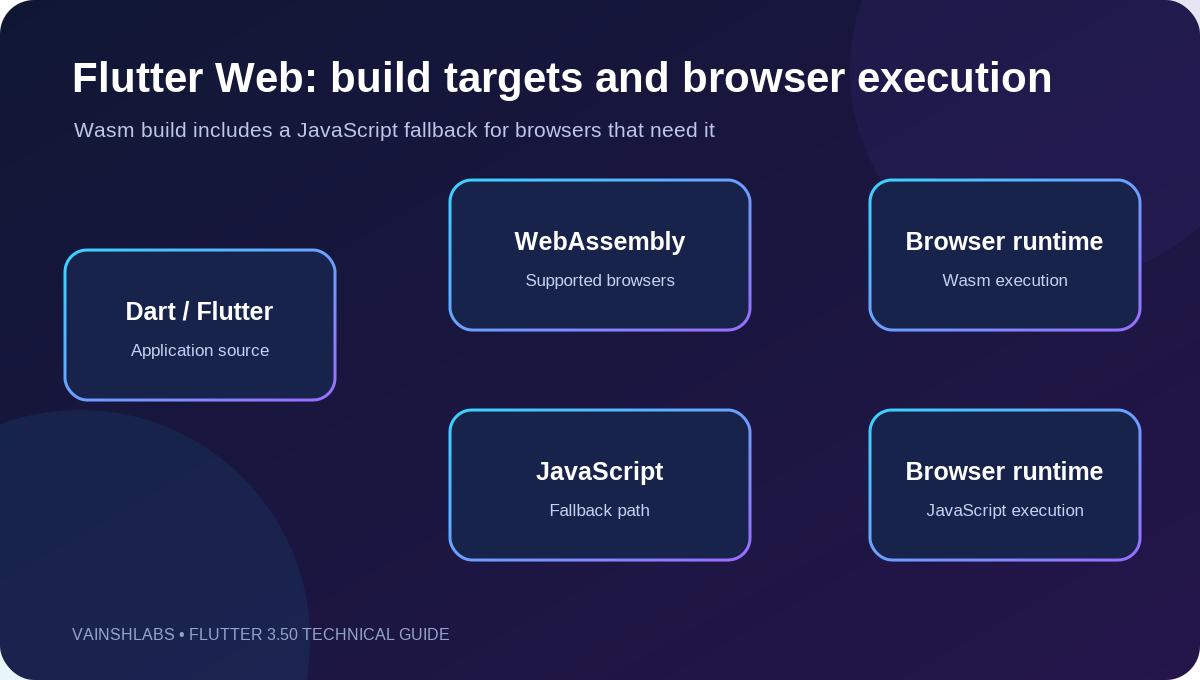
Flutter 3.50 continues to improve its WebAssembly execution path. The flutter build web --wasm build produces WebAssembly output alongside JavaScript, allowing supported browsers to use Wasm while older or unsupported browsers can use the JavaScript fallback.
What performance improvement did Flutter report?
The Flutter release announcement reports more than twice the frame rate of JavaScript on heavy widget benchmarks in Safari 26.2+ and Firefox 147+. Chromium-based browsers such as Chrome and Edge already use WebAssembly by default in the documented supported versions.
This is a benchmark result for particular workloads and browser versions. It does not mean every production Flutter website will automatically become twice as fast. Results depend on the application, browser, hardware, rendering workload and packages.
Opt in to the browser Wasm paths
Flutter documents this configuration in web/flutter_bootstrap.js:
{{flutter_js}}
{{flutter_build_config}}

_flutter.loader.load({
  config: {
    wasmAllowList: {
      blink: true,
      webkit: true,
      gecko: true,
    },
  },
});
Before enabling this in production, check the current WebAssembly support documentation and test your app in the browsers your users actually use.
Content-hashed web assets
Flutter 3.50 adds the --web-content-hash build option:
flutter build web --web-content-hash
This adds content hashes to generated JavaScript, WebAssembly and asset filenames. Hashed filenames help browsers and CDNs distinguish a new asset from an older cached copy. This is useful when deploying updates, because a changed file gets a different URL.
A build flag is not a complete caching strategy by itself. Review the cache headers configured by your hosting provider and ensure HTML and bootstrap files are revalidated appropriately.
Modern JavaScript interoperability
Older Dart web libraries, including dart:html, dart:js, dart:js_util and package:js, are deprecated in favour of dart:js_interop and package:web.
Use the following check during a migration:
flutter build web --no-deprecated-js-interop
This helps detect legacy JavaScript interop usage in your app or dependencies. Resolve compatibility issues before making Wasm a required production path.
Official reading: Flutter WebAssembly support.
3. Material and Cupertino become standalone packages
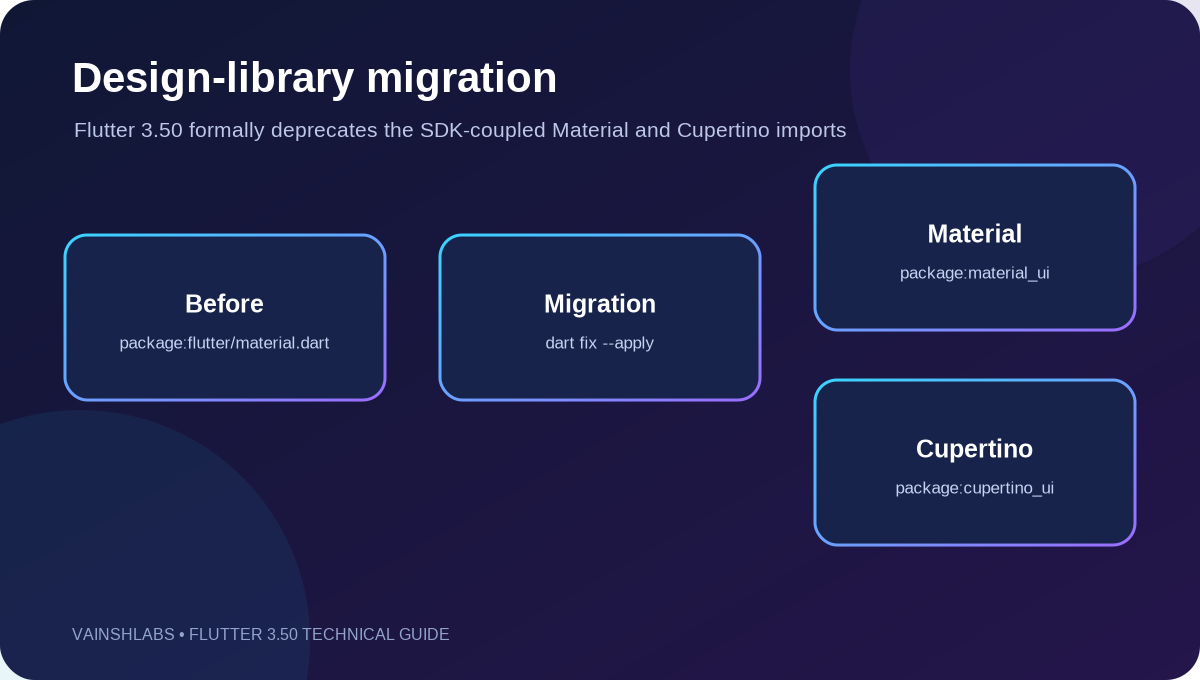
Flutter 3.50 formally deprecates the Material and Cupertino design libraries bundled inside the Flutter SDK. The standalone packages are:
import 'package:material_ui/material_ui.dart';
import 'package:cupertino_ui/cupertino_ui.dart';
This change follows the standalone packages' 1.0 launch in Flutter 3.47. The goal is to decouple design systems from the core framework so that they can evolve and release independently.
How to migrate an existing project
Flutter documents an automated migration command:
dart fix --apply --code=migrate_design_widgets
If the fix does not add the required dependencies to pubspec.yaml, add the packages explicitly:
flutter pub add material_ui
flutter pub add cupertino_ui
Then review the resulting imports and localization configuration. The standalone Material package provides its localization delegates through GlobalMaterialLocalizations.delegates.
A compatibility detail teams should not miss
Some third-party packages may still expose types from the old SDK-coupled Material or Cupertino libraries in their public APIs. Dart treats types from different libraries as distinct types, even when the class names look identical. A compatibility bridge can help with some context-based behavior, but it cannot solve every public API type mismatch.
For a large application, check your dependency tree and package APIs before migrating. If you maintain a public package, treat the move to the new design package types as a potentially breaking change for your consumers.
Official migration guide: Migrate to standalone Material and Cupertino packages.
4. Impeller and rendering improvements
Flutter 3.50 expands Impeller's Signed Distance Field (SDF) rendering path on macOS, Linux and Windows. The release highlights faster handling of lines, thin borders, rounded corners and gradients, along with improvements to macOS gradients and repeated text shadows.
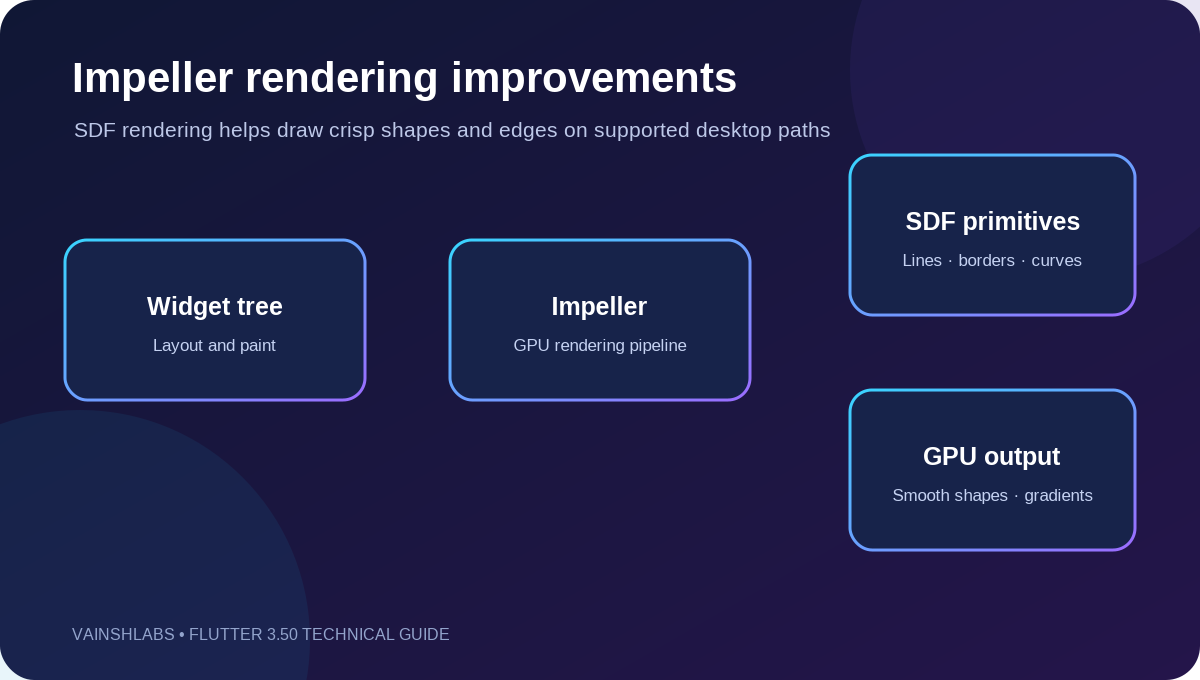
SDF techniques represent shapes in a way that can make it efficient to render smooth edges and borders on the GPU. This is relevant to interfaces with lots of cards, outlines, rounded corners, gradients and shadows.
Flutter GPU also adds support for 2D texture arrays. This is particularly relevant to graphics-heavy experiences such as games, sprite sheets and tile-based scenes where grouping textures can reduce draw calls in suitable workloads.
The release also includes GPU stability and startup improvements affecting some OpenGL, Mali and PowerVR paths.
What should app teams test?
If your application has complex custom painting, transitions, charts, maps, shadows or animation-heavy screens, profile it on representative physical devices. Look at frame timing, raster time, memory use and startup behavior. A release note is a reason to test—not proof that your particular screen is faster.
5. iOS and macOS updates
Lower iOS touch latency
Flutter reports that changes to frame scheduling after iOS touch events reduce input latency by one frame: approximately 16 ms on a 60 Hz device and 8 ms on a 120 Hz ProMotion display.
That can matter in gesture-heavy experiences such as drawing, scrolling, drag interactions and animation-driven interfaces. The exact user-perceived improvement depends on device refresh rate and the workload.
Smoother physical-device debugging
Flutter CLI now handles preparation for newly paired or upgraded iOS devices more smoothly. Flutter 3.50 also addresses intermittent launch crashes with flutter run on iOS 27 devices. With Xcode 27, flutter screenshot works again on physical iPhones and iPads.
Swift Package Manager transition
Flutter is continuing its transition away from CocoaPods. The official announcement says that disabling Swift Package Manager now triggers a warning from Flutter CLI commands. It also notes that the CocoaPods trunk is expected to become read-only in December 2026 and that the temporary fallback is winding down.
If your project disabled Swift Package Manager to work around an earlier plugin issue, revisit that choice. Check the support status of your plugins and native dependencies before changing a production build.
Apple Silicon and macOS builds
Flutter no longer tests on Intel Mac hardware and warns when building on an Intel Mac. The release also documents an option for Apple-Silicon-only macOS builds:
flutter config --enable-macos-arm64-only
Review your local development machines and CI runners as part of your longer-term macOS build planning.
6. Android improvements
Flutter 3.50 includes Android changes that affect security, native views and build tooling.
Stricter release-mode Intent validation
The release hardens how Android applications handle runtime Intent extras used to configure Flutter entrypoints and engines. In release builds, certain externally supplied values—including route, dart_entrypoint and cached_engine_id—are ignored. Runtime engine flags supplied through Intent extras are also restricted.
This is important for apps with custom engine launch flows or deep-link integrations. Test your release-mode behavior and verify that your app does not rely on externally supplied engine configuration values.
Hybrid Composition++
Hybrid Composition++ improves the integration of native Android views such as maps and web views inside Flutter layouts. Flutter 3.50 includes improvements to motion-event dispatch and layout ordering.
The supported HCPP path has requirements: Android 14 (API 34) or higher and Impeller running on Vulkan. Devices that do not meet both requirements fall back to the existing platform-view mode.
If your app embeds native views, test scrolling, touch gestures, text input, accessibility and lifecycle behavior on both supported and fallback devices. Do not assume that every Android device will use the same rendering path.
Android build tooling
Flutter 3.50 also updates support for the Android Gradle Plugin 9 DSL and the Android build ecosystem. The correct upgrade path depends on the versions used by your project and plugins. Check the official release notes and plugin compatibility before changing AGP, Gradle, Kotlin or Java versions together.
7. AI-assisted developer workflows
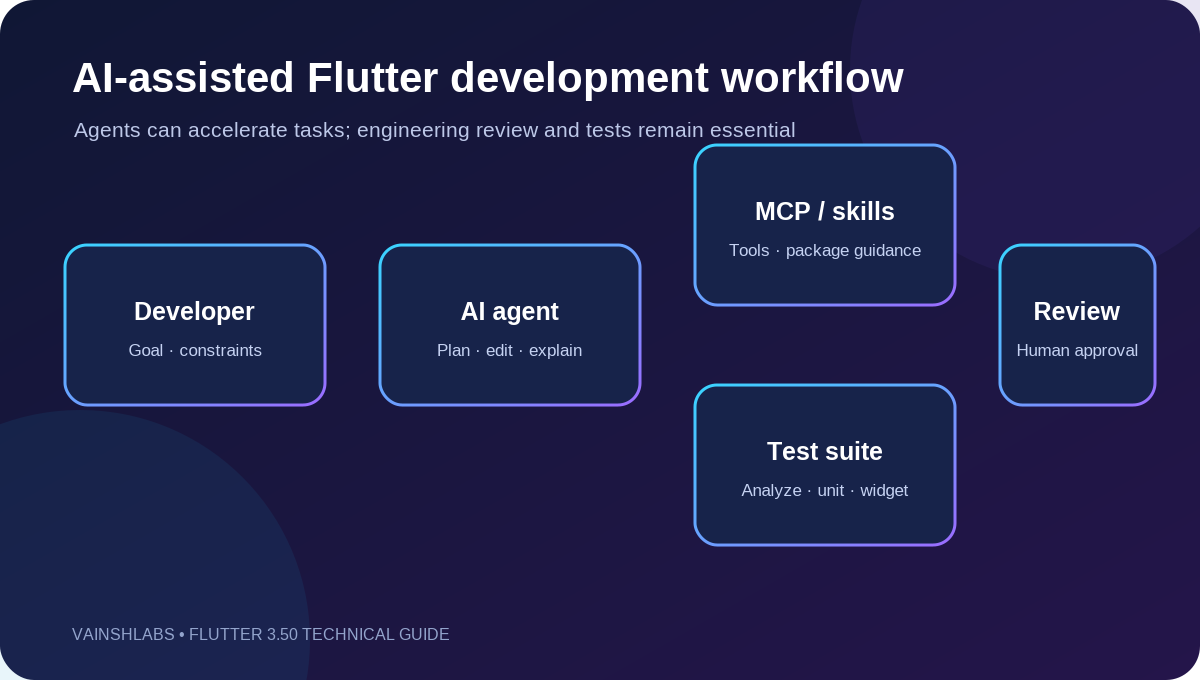
Flutter 3.50 expands first-party support for AI coding assistants. The official Flutter agent plugins bring together task-oriented skills, Dart and Flutter MCP server configuration, specialized agents and persistent agent rules.
The release highlights a flutter-hot-reload rule that can trigger hot reload or hot restart through the MCP server after edits under lib/.
Package skills
Package authors can include agent skills in a top-level skills/ directory in their pub.dev packages. Developers can discover and install package skills using:
dart run skills@ get
Package authors can use package:skills_lint in CI to validate skill metadata and directory conventions.
Where AI agents help—and where they do not
AI tools can accelerate code navigation, repetitive edits, test scaffolding, documentation and refactoring. They do not remove the need for an engineer to understand the product, architecture and platform behavior.
Review generated code for correctness, state-management consistency, security, accessibility, performance and test coverage. Keep normal code review and CI checks in place. An agent completing a task is not the same as a task being production-ready.
8. Genkit Dart and on-device AI
Flutter 3.50 arrives with two AI ecosystem developments worth watching.
Genkit Dart 1.0
Genkit Dart 1.0 provides tools for building full-stack, multi-model agentic applications in Dart and Flutter. The release highlights type-safe flows, streaming, tool calling and OpenTelemetry tracing.
This can be useful when an application needs to combine model calls with application tools, stream output to the UI or observe the behavior of AI flows.
MediaPipe Tasks for Flutter
Google AI Edge's MediaPipe package for Flutter brings 20 on-device vision, audio and text tasks powered by LiteRT and LiteRT-LM.
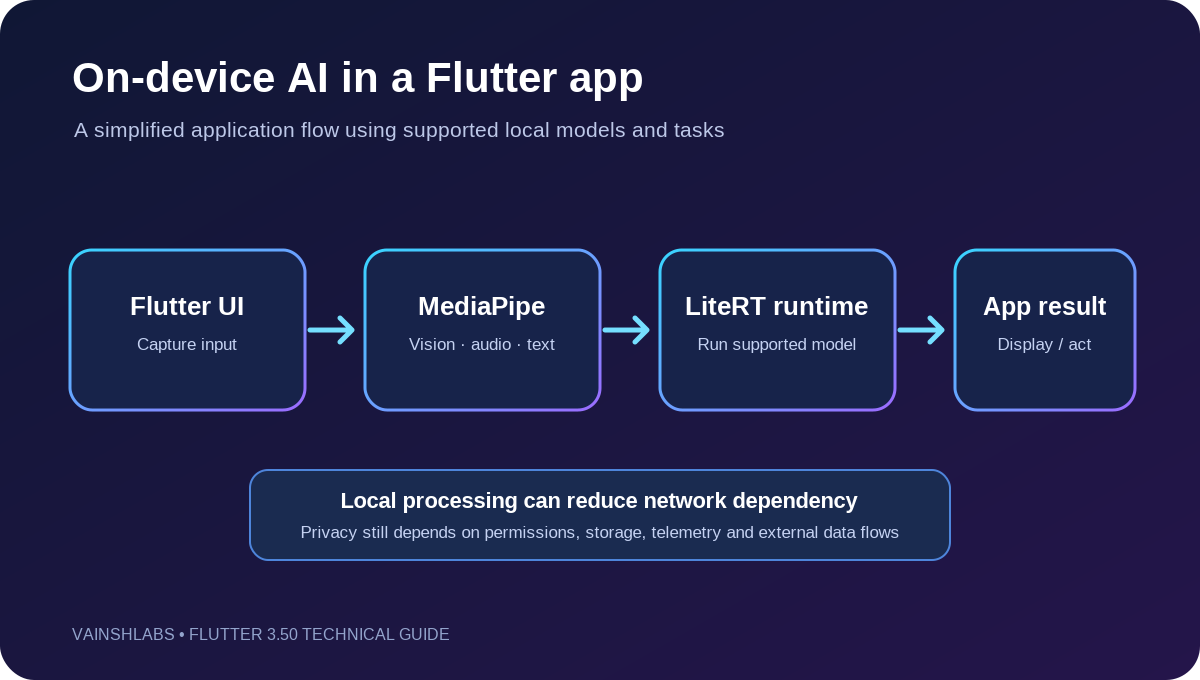
On-device inference can reduce network dependency and cloud inference costs for supported tasks. It can also help keep some processing on the device. However, on-device AI is not automatically a privacy guarantee. Teams still need to review permissions, local storage, model downloads, telemetry and any data sent to external services.
For a real product, evaluate model size, memory, battery use, inference speed, supported hardware and the quality of the model for your specific task.
9. Framework improvements worth knowing
Not every useful release change is a headline feature. Flutter 3.50 includes framework updates that may be valuable when building reusable widgets and design systems.
| Area | Notable updates | Where it may help |
|---|---|---|
| Scrolling and slivers | SliverClipRect, SliverClipRRect, itemExtentBuilder for ListView.separated |
Custom scroll layouts and lists |
| Text input | Password option for TextInputType.numberWithOptions; email OTP autofill hint on Android |
PIN and verification flows |
| Image loading | Placeholder support in DecorationImage; additional image cache sizing options |
Image-heavy interfaces |
| Painting | blendMode on RawImage; smoother border transitions |
Custom visuals |
| Accessibility | SemanticsRole.slider; MediaQueryData.reduceMotion |
Screen-reader and reduced-motion support |
| Navigation | Dialog barrierBuilder; tooltip Escape behavior improvements |
Overlays and keyboard navigation |
| Desktop | Continued multi-window API improvements | Desktop applications |
These are worth reviewing when they intersect with an existing feature. Avoid changing stable application code just to adopt an API that does not solve a current problem.
10. Flutter 3.50 migration checklist
A framework upgrade should be treated as a compatibility exercise. The SDK may upgrade cleanly while a plugin, native dependency, build script or CI image still needs attention.
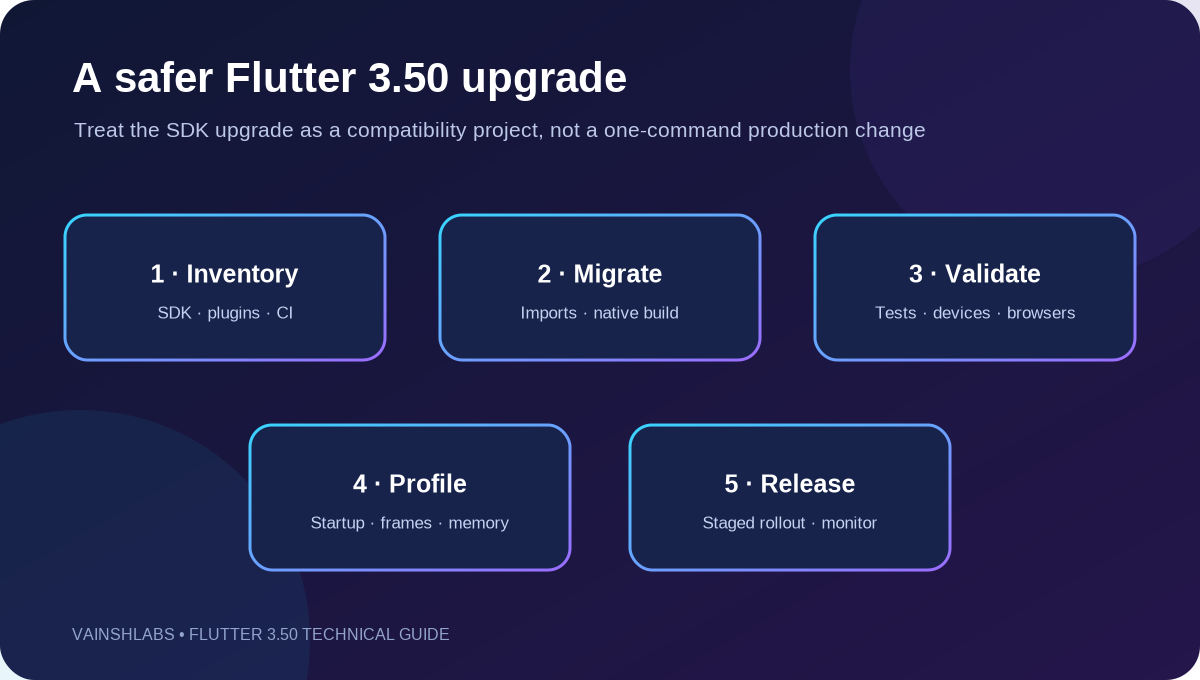
Before upgrading
- Read the Flutter 3.50 release announcement.
- Review the Flutter 3.50 breaking changes.
- Record the current Flutter and Dart versions.
- Check plugin and package compatibility.
- Create a dedicated upgrade branch.
- Confirm that your CI environment can support the required native toolchains.
During the upgrade
flutter --version
flutter doctor -v
flutter upgrade
flutter pub get
flutter analyze
flutter test
- Review Material and Cupertino migration requirements.
- Audit web JavaScript interop if you build for web.
- Review Swift Package Manager and native plugin compatibility.
- Check Android Intent and custom engine integrations.
- Validate Gradle, AGP, Kotlin and Java compatibility.
- Review custom platform views and native API bindings.
Before releasing
- Run unit, widget and integration tests.
- Build release variants for every supported platform.
- Test deep links, notifications, authentication and native SDK integrations.
- Profile startup, frame timing and memory on real devices.
- Validate browser coverage for Flutter Web.
- Use a staged rollout and monitor crash and performance signals.
11. Should your team upgrade to Flutter 3.50?
For many teams, Flutter 3.50 is worth evaluating. The strongest reasons are stable native interoperability, web improvements, the design-package migration path, and ongoing rendering and platform work.
The right timing depends on your application and its dependencies.
| Project type | What to evaluate first |
|---|---|
| Existing iOS and Android app | Plugin compatibility, native builds and regression tests |
| Flutter Web app | Wasm support, browser coverage and JavaScript interop |
| App with native SDK integrations | FFIgen, JNIgen and platform plugin architecture |
| Graphics-heavy app | Impeller behavior and real-device profiling |
| AI-powered app | Genkit, MediaPipe, model support and privacy requirements |
| Enterprise app | Dependency audit, CI compatibility and staged migration |
A measured upgrade is usually safer than adopting every new capability at once. Start with a test branch, identify the changes that benefit your product, and migrate in manageable steps.
12. What this release signals for Flutter
Flutter 3.50 points toward a more connected development ecosystem.
Dart is getting more direct ways to work with native platform APIs. Flutter Web continues to improve its browser execution paths. Design libraries are moving toward independent package releases. AI tools are becoming more integrated into developer workflows, while Genkit and MediaPipe expand the options for AI-powered experiences.
For developers, the opportunity is not simply to memorize new APIs. It is to understand when these capabilities solve real engineering problems—and when a simpler, established approach remains the better choice.
Teams that combine solid application architecture, platform knowledge, performance testing and responsible AI integration will be in a stronger position to build maintainable cross-platform products.
Frequently asked questions
What is new in Flutter 3.50?
Flutter 3.50 includes stable FFIgen support for Objective-C and JNIgen support for Java and Kotlin, WebAssembly improvements, standalone Material and Cupertino package migration, Impeller rendering updates, AI developer tooling, Genkit Dart 1.0, MediaPipe Tasks for Flutter and multiple platform and framework improvements.
Which Dart version is released with Flutter 3.50?
Flutter 3.50 was released alongside Dart 3.14.
Is native interoperability stable in Flutter 3.50?
FFIgen support for C and Objective-C and JNIgen support for Java and Kotlin are stable. Pigeon's native interoperability mode is a preview.
Does Flutter 3.50 make every web app more than twice as fast?
No. Flutter reports more than twice the frame rate of JavaScript on specific heavy-widget benchmarks in Safari 26.2+ and Firefox 147+. Real application results vary by workload, browser and hardware.
Do existing projects need to migrate Material and Cupertino imports?
The SDK-coupled Material and Cupertino libraries are formally deprecated in Flutter 3.50. Flutter provides a dart fix migration rule for moving to the standalone packages. Review dependencies and public API type usage before completing a large migration.
Does Flutter 3.50 support on-device AI?
The release highlights a MediaPipe package for Flutter with 20 vision, audio and text tasks powered by LiteRT and LiteRT-LM. Actual model and device support depends on the selected task and hardware.
Should I upgrade a production app immediately?
First check your plugins, native build dependencies and supported platforms. Upgrade a separate branch, run automated tests, validate release builds and profile the app on representative devices before rolling it out.
Is Flutter still suitable for enterprise mobile applications?
Flutter 3.50 continues to invest in native interoperability, platform integration, rendering and developer tooling. Enterprise suitability still depends on the product's requirements, plugin ecosystem, accessibility needs, security model and operational practices.
Final thoughts
Flutter 3.50 is a meaningful release for teams building cross-platform applications. Its most important changes reach beyond UI development: native integration, web execution, AI-assisted workflows, graphics rendering and platform security all receive attention.
The best way to benefit is to understand the changes, identify which ones matter to your product, and adopt them with a tested migration plan.
Building or modernizing a Flutter application? VainshLabs helps businesses plan, develop and improve mobile applications with a focus on maintainable architecture, reliable integrations and user experience.
References and further reading
- What's new in Flutter 3.50 — Official Flutter Blog
- Flutter 3.50 release notes
- Flutter breaking changes and migration guides
- Migrate to standalone Material and Cupertino packages
- Flutter WebAssembly support
- Flutter native interoperability documentation
- Genkit documentation
- MediaPipe Tasks for Flutter
Editorial and technical review note
This article is an independently written, AI-assisted editorial draft based on the official Flutter release materials. Before publishing, have a Flutter engineer run the commands and code examples against the target SDK, verify package and browser compatibility, and add first-hand observations from a real project. Do not present benchmark claims as measurements from your own application unless you have reproduced them.
Share this article
Related Articles

Flutter Widget Previews: Build Your First UI Component Without Opening the Whole App
Learn Flutter Widget Previews with a simple reminder card, official screenshots, and practical exercises for checking layouts and larger text.

Flutter 3.47: A Major Step Toward a More Modular, Faster, and Future-Ready Framework
Flutter 3.47 introduces standalone Material and Cupertino UI packages, default Impeller renderer on desktop, mandatory UIScene for iOS 27, Wasm deferred loading, Widget Previews, and GenUI evolution.

Flutter vs Native Development in 2026: How Should Businesses Choose?
A comprehensive, data-backed architectural guide comparing Flutter and Native (Swift & Kotlin) mobile development — covering cost, market share, performance, team velocity, real-world enterprise case studies, and a step-by-step decision framework.