Flutter vs Native Development in 2026: How Should Businesses Choose?
A comprehensive, data-backed architectural guide comparing Flutter and Native (Swift & Kotlin) mobile development — covering cost, market share, performance, team velocity, real-world enterprise case studies, and a step-by-step decision framework.
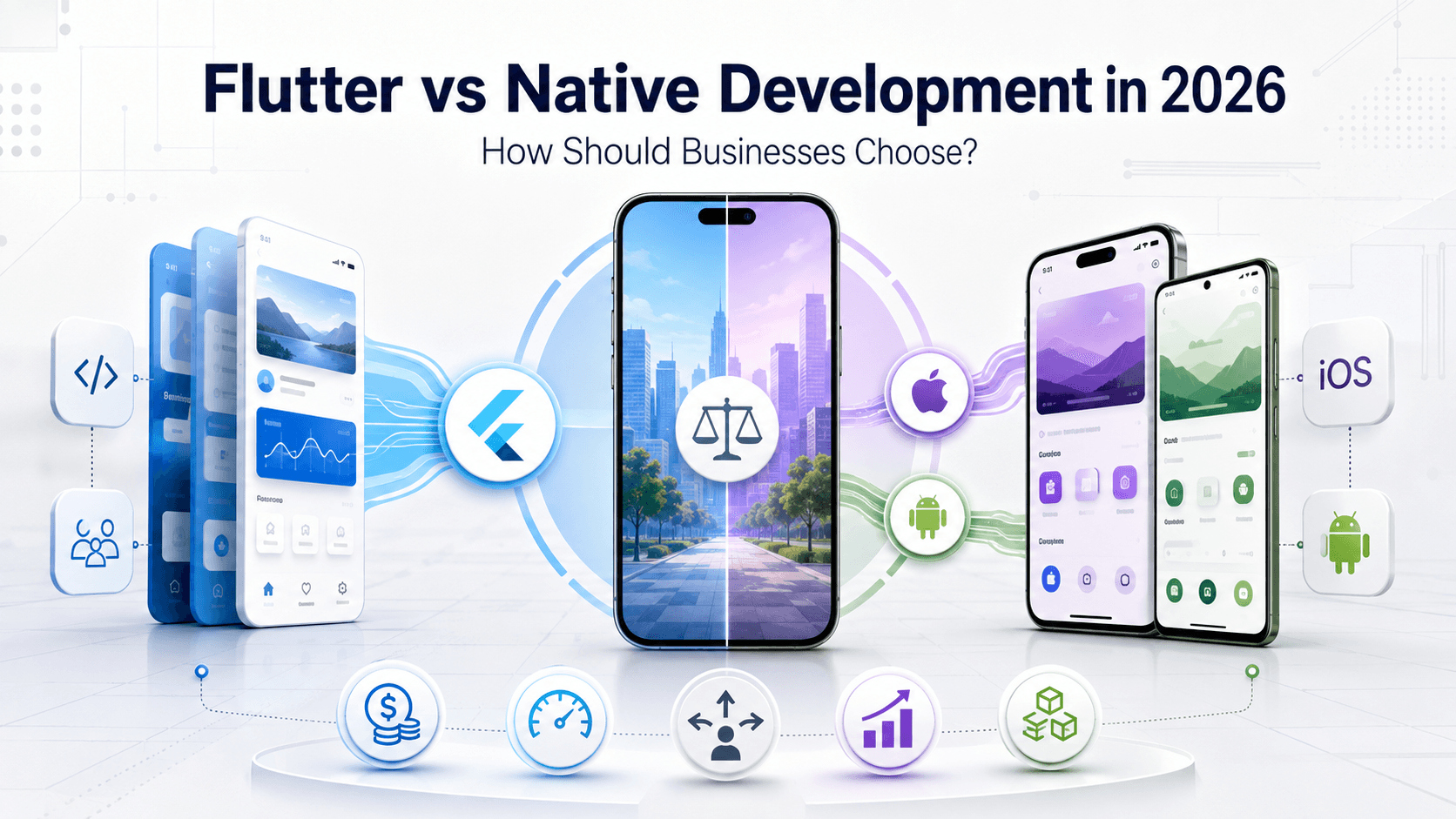
Choosing between Flutter and Native development (Kotlin for Android, Swift for iOS) is no longer a simple technical debate over syntax or framework hype.
In 2026, this choice is an executive strategy decision. It directly impacts:
- Development cost and cash burn rate
- Time-to-market for initial MVP and continuous feature rollouts
- Engineering team structure and hiring overhead
- App performance and frame delivery metrics
- Long-term maintenance and technical debt
- Multi-platform expansion options (Web, Desktop, Embedded)
Instead of asking the generic question "Is Flutter better than Native?", forward-thinking business and technical leaders ask:
"Which architecture aligns best with our product requirements, team capabilities, and 5-year scaling roadmap?"
Let's break down the data, empirical enterprise case studies, performance metrics, and a step-by-step decision framework to help you choose the right path.
1. The Mobile Operating System Landscape
To make an informed decision, we must start with current global mobile operating system distribution. As of mid-2026, worldwide mobile OS market share stands at:
Worldwide Mobile OS Market Share
For virtually all consumer and enterprise products, capturing market potential means supporting both Android and iOS. How you target these platforms shapes your engineering architecture.
The Native Architectural Model
With pure native development, your mobile product is split into two distinct, independent software projects:
Mobile Product
├── Android Application
│   ├── Kotlin Codebase
│   ├── Jetpack Compose / Android UI
│   └── Android Unit & UI Testing Pipeline
└── iOS Application
    ├── Swift Codebase
    ├── SwiftUI / UIKit
    └── iOS Unit & XCTest Pipeline
The Flutter Architectural Model
With Flutter, your core application logic and user experience are unified into a single cross-platform engine:
Mobile Product
└── Unified Flutter Codebase (Dart)
    ├── Shared UI & Design System
    ├── Shared Business & Domain Logic
    ├── Shared API & Networking Layer
    ├── Android Native Build Target
    └── iOS Native Build Target
This fundamental structural difference is the primary economic driver pushing businesses to evaluate Flutter.
2. Head-to-Head Comparison: Flutter vs. Native
Here is a quick side-by-side comparative rating of Flutter and Native across primary engineering dimensions:
| Evaluation Area | Flutter | Native |
|---|---|---|
| Android + iOS Support | One shared codebase | Separate codebases |
| Development Speed | ⭐⭐⭐⭐⭐ | ⭐⭐⭐ |
| UI Consistency | ⭐⭐⭐⭐⭐ | ⭐⭐⭐⭐ |
| Platform Features | ⭐⭐⭐⭐ | ⭐⭐⭐⭐⭐ |
| Peak UI Performance | ⭐⭐⭐⭐ | ⭐⭐⭐⭐⭐ |
| Smaller Team Efficiency | ⭐⭐⭐⭐⭐ | ⭐⭐⭐ |
| Long-Term Maintenance | ⭐⭐⭐⭐⭐ | ⭐⭐⭐ |
| Day-1 New OS APIs | ⭐⭐⭐ | ⭐⭐⭐⭐⭐ |
| Custom UI & Animations | ⭐⭐⭐⭐⭐ | ⭐⭐⭐⭐⭐ |
Key Takeaway:
- If Android and iOS will share 80%+ of features → Flutter becomes extremely attractive.
- If the application relies heavily on hardware/OS-specific depth → Native remains stronger.
3. Why Are Businesses Choosing Flutter?
Modern companies don't select frameworks based on developer preference alone; they select them for speed, scalability, and efficiency. Here are the four primary business drivers favoring Flutter:
3.1 Single Codebase Efficiency
Instead of duplicating effort across two isolated development pipelines, Flutter consolidates feature development:
Native Pipeline:
Feature Request ──► Android Dev ──► Android Test ──► Android Release
                └──► iOS Dev     ──► iOS Test     ──► iOS Release

Flutter Pipeline:
Feature Request ──► Shared Dev  ──► Android Test ──┐
                                └──► iOS Test     ──┴─► Simultaneous Release
While platform-specific testing remains essential on both platforms, Flutter eliminates up to 70–90% of duplicated frontend and business logic code.
3.2 Accelerated Feature Delivery
Consider a growing e-commerce application adding complex features such as:
- One-click checkout & Apple Pay / Google Pay integrations
- Real-time order tracking and map integration
- Dynamic product recommendation feeds
- Discount coupon engines & loyalty rewards
In a native setup, each feature must be designed, written, debugged, and maintained twice. In Flutter, the core UI, state management, and network calls are written once, allowing product teams to ship updates to both app stores simultaneously every sprint.
3.3 Lean Engineering Team Structure
Maintaining separate native teams often forces companies to scale headcount quickly:
Dual Native Engineering Team:
├── 3–5 Android Engineers (Kotlin, Jetpack Compose)
├── 3–5 iOS Engineers (Swift, SwiftUI)
├── Dedicated Android QA Specialist
└── Dedicated iOS QA Specialist

Unified Flutter Engineering Team:
├── 4–5 Flutter Engineers (Dart, Clean Architecture)
├── 2 QA Specialists (Cross-platform automation)
└── 1 Native Integration Specialist (Platform channels & native OS hooks)
This structure does not remove the need for native platform knowledge, but it prevents doubling your headcount simply to support two mobile operating systems.
3.4 Eliminating "Feature Parity Lag"
As mobile applications mature, dual native teams frequently drift out of sync:
Quarterly Feature Status Matrix:
Feature A:  Android [Completed]    |  iOS [Completed]
Feature B:  Android [Completed]    |  iOS [In Progress - 6 Wk Lag]
Feature C:  Android [v2.0 Update]  |  iOS [v1.0 Legacy]
This misalignment creates customer confusion and fragmented marketing campaigns. A shared Flutter codebase ensures features, UI design, and bug fixes land on iOS and Android concurrently.
4. Empirical Enterprise Proof: What Real-World Benchmarks Reveal
Flutter is no longer restricted to lightweight MVPs or experimental side projects. Some of the world's largest companies rely on Flutter at scale:
Enterprise Shared Code & Velocity Metrics
Key Case Study Highlights:
Google Classroom
- 98% shared code across platforms
- 66% reduction in total codebase size
- 50% improvement in developer feature velocity
Google Pay
- Replaced dual native codebases totaling ~1.7 million lines of code with a unified Flutter codebase of ~1.1 million lines
- Reduced engineering effort by 60–70% across feature teams
eBay Motors
- Achieved 98.3% code sharing between iOS and Android targets
- Enabled small feature squads to ship simultaneous updates in record time
ByteDance
- Reported a 33% productivity boost across internal app creation suites
5. Ideal Fit: When Is Flutter the Clear Winner?
Flutter is exceptionally well-suited for applications where UI consistency, rapid feature deployment, and cloud API integrations dominate:
Ideal Flutter Application Architecture
┌─────────────────────────────────────────────────────────┐
│               Unified Flutter App Layer                 │
├───────────────┬─────────────────────────┬───────────────┤
│ Auth & Security│  REST / GraphQL APIs   │ Dynamic Forms │
├───────────────┼─────────────────────────┼───────────────┤
│ Search & Filters│  Payment Gateways     │ Notifications │
├───────────────┼─────────────────────────┼───────────────┤
│ User Profiles │ Analytics & Telemetry   │ Dashboards    │
└───────────────┴─────────────────────────┴───────────────┘
High-Priority Flutter Use Cases:
- E-Commerce & Retail Applications (Catalogs, search filters, carts, payments)
- Fintech & Banking Portals (Account summaries, transaction feeds, forms, transfers)
- SaaS & Enterprise B2B Tools (CRM dashboards, field reporting, workflow management)
- On-Demand & Logistics Apps (Booking flows, driver tracking, user feedback)
- Content & Media Platforms (News feeds, podcasts, streaming portals)
- Startup MVPs & Fast-Growth Products (Where speed to market dictates survival)
Because these products rely heavily on data fetching, state management, form inputs, and custom design systems, Flutter delivers maximum ROI.
6. When Should You Choose Native Development?
Despite Flutter's efficiency, native development remains the superior choice for specific technical constraints.
Native-First Decision Drivers
┌────────────────────────────────────────────────────────┐
│             Heavy Platform Dependencies               │
├───────────────────────┬────────────────────────────────┤
│ Advanced Camera/Video │ Low-Latency Bluetooth / BLE    │
├───────────────────────┼────────────────────────────────┤
│ AR / VR (VisionOS)    │ OS Background Service Daemons  │
├───────────────────────┼────────────────────────────────┤
│ Direct Hardware DSP   │ Instant Day-1 OS API Support   │
└───────────────────────┴────────────────────────────────┘
                          │
                          ▼
             Choose Native (Swift / Kotlin)
Choose Native If Your App Requires:
- Low-Level Hardware Access: Real-time video processing, custom camera shaders, spatial audio, or raw GPU access.
- Bluetooth & IoT Controls: Heavy Bluetooth Low Energy (BLE) peripheral background scanning and firmware updates.
- AR/VR Infrastructure: High-performance spatial computing built specifically for Apple VisionOS or ARCore.
- Deep OS Integration: Custom background daemons, system extension widgets, or deep OS notification triggers.
- Immediate Day-1 OS Support: Accessing brand-new iOS or Android APIs the moment Apple or Google releases beta SDKs.
7. Performance in 2026: Debunking the Myths
A legacy concern among engineering managers was: "Will cross-platform compilation introduce frame drops or lag?"
In 2026, with Flutter's Impeller rendering engine enabled by default, performance concerns are largely solved:
Rendering Engine Architecture:
Skia (Legacy)      ──► Dynamic Runtime Shader Compilation  ──► Potential Jitter
Impeller (Current)  ──► Ahead-of-Time (AOT) Precompiled Shaders ──► Smooth 60/120 FPS
Impeller uses ahead-of-time (AOT) compiled shaders to eliminate runtime compilation jank. It leverages Metal on iOS/macOS and Vulkan on Android/Windows to deliver steady 60 FPS and 120 FPS animations.
8. Total Cost of Ownership (TCO): V1.0 vs. Long-Term Maintenance
Building version 1.0 represents only a fraction of a software product's lifetime cost. Over a 5-to-10-year lifespan, maintenance costs accumulate quickly:
Long-Term Maintenance Overhead (5-Year Horizon)
================================================================================
Native Maintenance (2 Pipelines):
[OS Updates] + [Dependency Upgrades] + [Bugfixes x2] + [Feature Additions x2]
--------------------------------------------------------------------------------
Flutter Maintenance (1 Pipeline):
[OS Updates] + [Dependency Upgrades] + [Bugfix x1] + [Feature Addition x1]
================================================================================
With Flutter, long-term regression testing and bug resolution take place in a single codebase, drastically cutting maintenance costs over time.
9. The Hybrid Strategy: Combining Flutter + Native
You don't always have to choose exclusively between Flutter and Native. A hybrid approach (Add-to-App) allows mature engineering organizations to combine both:
Hybrid Architecture Model
┌────────────────────────────────────────────────────────┐
│                   Mobile Application                   │
├───────────────────────────────────┬────────────────────┤
│       Flutter Engine (80%)        │ Native Code (20%)  │
│  - UI Screens & Navigation        │  - Custom Camera   │
│  - API Layer & Data Models        │  - BLE Peripheral  │
│  - State Management & Forms       │  - Native SDKs     │
└───────────────────────────────────┴────────────────────┘
This hybrid model allows teams to build 80% of standard UI screens in Flutter while writing custom Kotlin or Swift modules for hardware-intensive features.
10. The Decision Tree: How to Choose in 5 Steps
Use this decision matrix to determine the best path for your project:
                      Do you need both Android & iOS?
                                 │
                   ┌─────────────┴─────────────┐
                   ▼                           ▼
                 [NO]                        [YES]
                   │                           │
          Choose Native                Are 80%+ of features
        (Kotlin or Swift)               identical on both?
                                               │
                                 ┌─────────────┴─────────────┐
                                 ▼                           ▼
                               [NO]                        [YES]
                                 │                           │
                           Choose Native            Does the app rely heavily
                        (Separate Apps)             on BLE/Camera/AR hardware?
                                                             │
                                               ┌─────────────┴─────────────┐
                                               ▼                           ▼
                                             [YES]                       [NO]
                                               │                           │
                                     Choose Native or              CHOOSE FLUTTER
                                      Hybrid Approach              (Maximum ROI)
11. Final Executive Checklist
✅ Choose Flutter If:
- You need to target both Android and iOS simultaneously.
- Your product features and design are 80%+ identical across platforms.
- Faster time-to-market and rapid iteration cycles are critical.
- You want to optimize engineering headcount and operational costs.
- You plan to expand to Web or Desktop targets in the future.
🛠️ Choose Native If:
- Your product focuses primarily on single-platform execution.
- Your app relies heavily on low-level hardware (BLE, AR/VR, custom GPU shaders).
- Your Android and iOS app experiences are fundamentally different.
- You require immediate Day-1 access to brand-new OS beta APIs.
- You already maintain large, mature native engineering teams.
Final Thoughts
There is no universal winner between Flutter and Native development. The right choice comes down to what you are building and how fast you need to execute.
For most startups, SaaS products, e-commerce brands, fintech tools, and enterprise mobile applications in 2026, Flutter offers an unbeatable combination of speed, performance, and cost efficiency.
The final question for business leaders is simple:
"Do we really need to build and maintain the exact same software product twice?"
If your answer is no, Flutter is the most strategic choice for your mobile roadmap.
Share this article
Related Articles
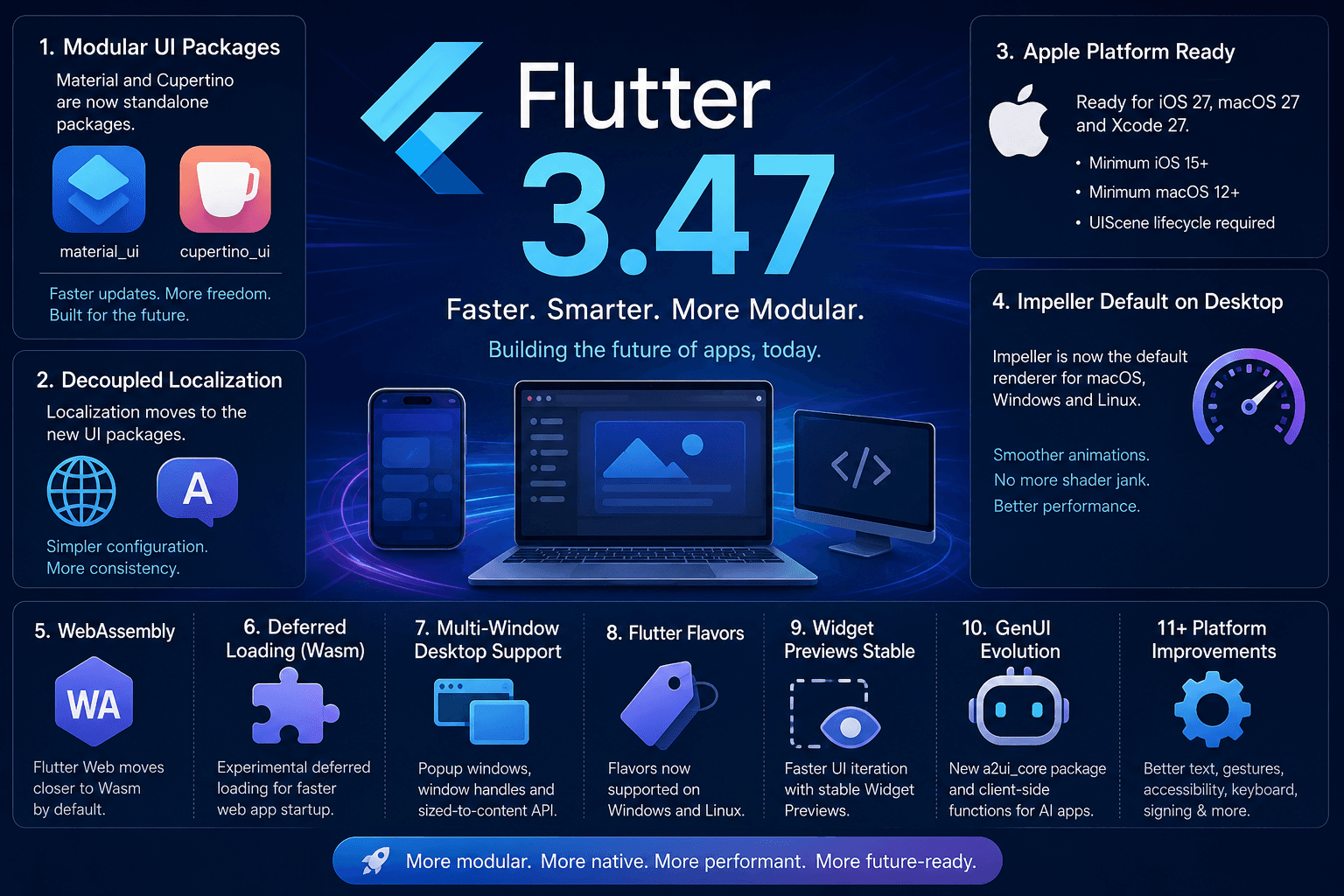
Flutter 3.47: A Major Step Toward a More Modular, Faster, and Future-Ready Framework
Flutter 3.47 introduces standalone Material and Cupertino UI packages, default Impeller renderer on desktop, mandatory UIScene for iOS 27, Wasm deferred loading, Widget Previews, and GenUI evolution.

How to Add a Flutter Module Inside an Existing iOS App
A complete step-by-step guide to integrating a Flutter module into an existing native iOS app — covering podfile setup, route handling, and common pitfalls to avoid.
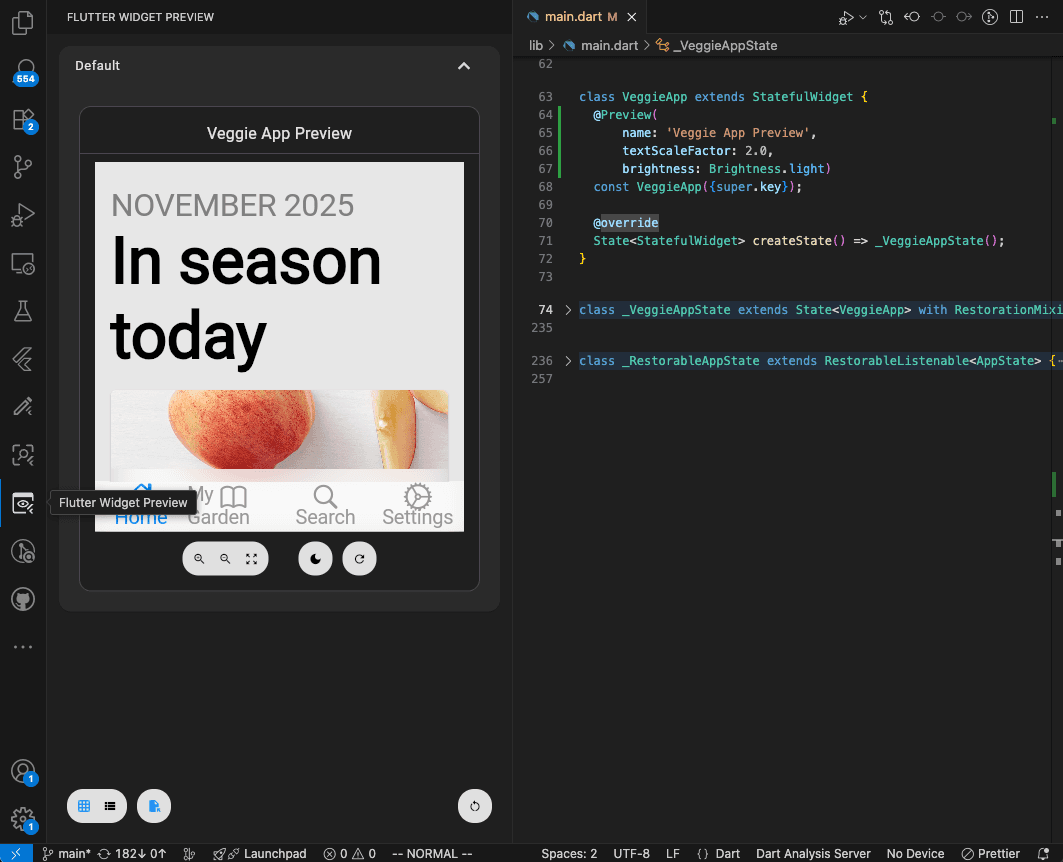
Flutter Widget Previews: Build Your First UI Component Without Opening the Whole App
Learn Flutter Widget Previews with a simple reminder card, official screenshots, and practical exercises for checking layouts and larger text.